
Replace 26 Make Modules with One Regex Function per Field
How I cut a Gmail lead scenario from about 29 credits per email to 2 by parsing inside the Add a Row mapping
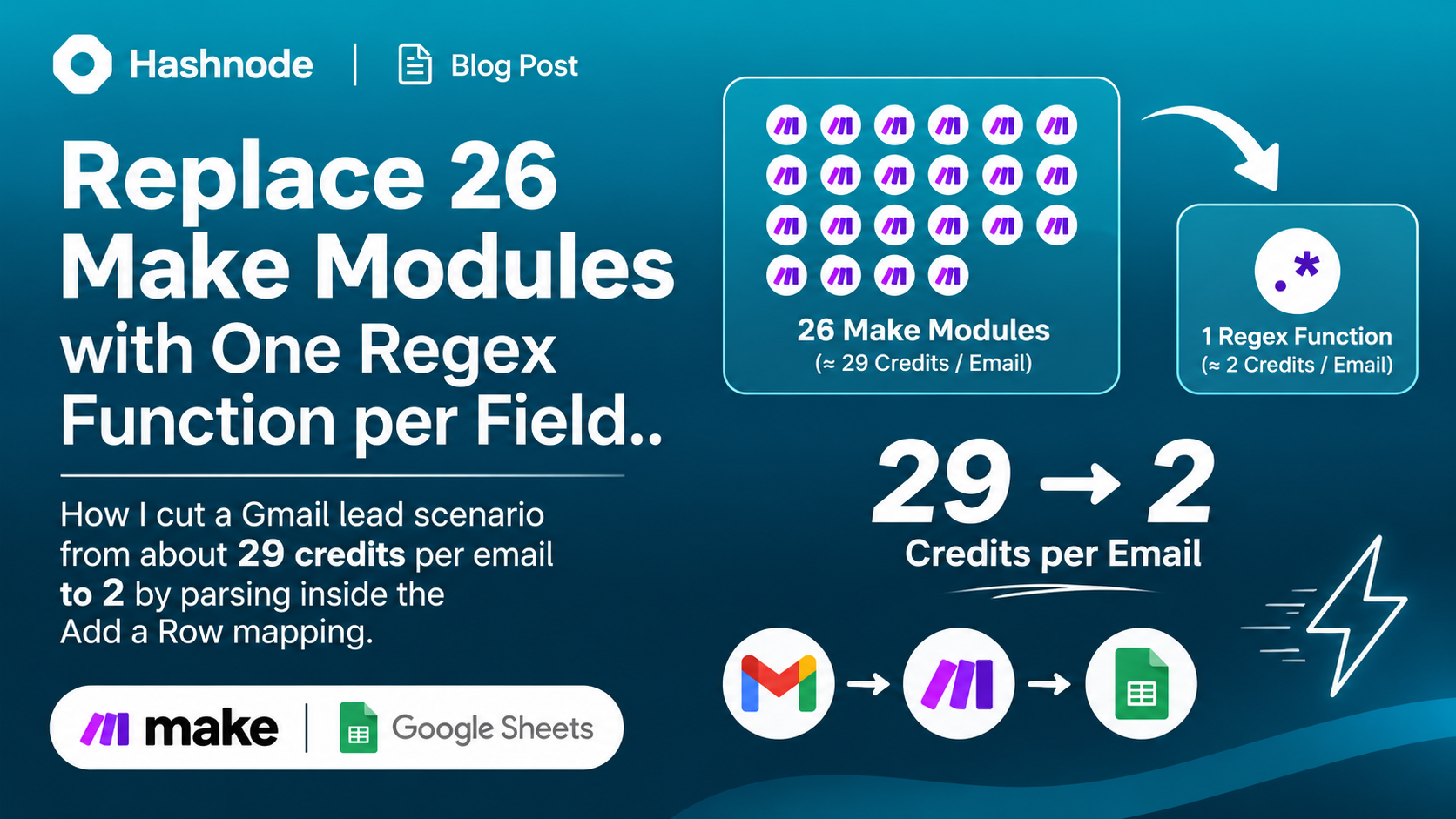
I had a Make scenario that watched a Gmail label for website inquiry emails, pulled 26 fields out of each one, asked Claude Haiku to classify the lead, and added a row to Google Sheets. It worked. It also used about 23,000 credits in 30 days.
The cause was not the AI step or the sheet. It was the 26 Text parser modules, one per field. This post shows how I replaced all of them with functions inside the Add a Row mapping, and what it did to the bill.
Where the credits were going
Make charges an operation (a credit) for every module that runs. For each new lead email, my scenario ran:
| Step | Operations |
|---|---|
| Gmail: Watch emails | 1 per run |
| Text parser, one per field | 26 |
| Claude: classify the lead | 1 |
| Google Sheets: Add a Row | 1 |
That is about 28 per lead plus the trigger. The parsing was more than 90% of the cost, and every one of those modules did the same small job: find a label in the email body and return the line after it.
The idea: functions are free
Modules cost credits. Functions written inside a mapping field do not. If you can do the extraction with a function, the modules disappear.
Make's replace() function accepts a regular expression and lets you reference a capture group in the replacement, so it can pull a value out of text:
replace(text; "/^[\s\S]*Label\r?\n(.+)[\s\S]*$/"; "$1")
You wrap the whole text in the pattern and keep only the part you captured. That is how one replace() call stands in for one Text parser module.
The pattern I used
My emails look like this, with labels on one line and values on the next, sometimes with asterisks around the label:
*First Name*
Jane

*Company Name*
Acme Ltd
For each field, the expression in the sheet column is:
{{replace(57.fullTextBody; "/^(?:[\s\S]*?(?:\*First Name\*|First Name)\r?\n([^\r\n]+)[\s\S]*|[\s\S]*)$/"; "$1")}}
Here is what each part does:
^( ... )$makes the pattern match the entire text, becausereplace()swaps out the whole match.[\s\S]*?skips everything before the label. I use[\s\S]instead of.because Make'sreplace()does not reliably support thesflag.(?:\*First Name\*|First Name)accepts the label with or without asterisks.\r?\nhandles both line endings.([^\r\n]+)captures the value, up to the end of the line.[\s\S]*swallows the rest of the email.
The part that matters most: the fallback
If a field is missing, a plain replace() returns the entire email body, and you end up with a whole email in a sheet cell. The fix is the alternation at the end: ...|[\s\S]*. When the label is not found, the second branch matches the whole text and captures nothing, so $1 becomes an empty string. A missing field gives a blank cell, the same as a Text parser with "continue when no match".
Special cases
A value that spans several lines, such as a free-text description that ends at a blank line:
{{replace(57.fullTextBody; "/^(?:[\s\S]*?Service Description\r?\n([\s\S]+?)(?:\r?\n\r?\n|\s*$)[\s\S]*|[\s\S]*)$/"; "$1")}}
The |\s*$ lets it also work when the description is the last thing in the email.
One pattern, several values. My tracking block has five pieces in a row. I use the same pattern with five capture groups and call replace() five times, once with "$1", once with "$2", and so on.
Slashes in the pattern. Because the regex sits between / characters, a URL pattern like https?:\/\/ is risky. I wrote https?:[/][/] instead.
Reusing a value elsewhere. My Claude prompt needs the company name, industry and country. I pasted the same expressions into the prompt text. That is still free. The AI module is the only module that stays.
Testing the expressions before trusting them
Make uses the JavaScript regex flavor, so I could test everything outside Make. I wrote a small script that ran the original parser patterns and the new replace patterns over the same sample emails and compared the results. The samples covered starred and plain labels, \n and \r\n line endings, a missing field, and a blank value.
const orig = text.match(new RegExp(oldPattern));
const expected = orig ? (orig[group] ?? "") : "";
const actual = text.replace(new RegExp(newPattern), "$" + group);
// actual should equal expected
I made 180 comparisons and found no mismatches. That catches regex mistakes, but it cannot tell you how Make itself handles the syntax, so I also ran the real scenario on a batch of real emails and compared the sheet rows.
The result
The new flow is three modules: Gmail Watch emails, Claude, and Add a Row.
I ran it over a batch of 12 emails. It used 25 credits and 25 operations. That is 2 per lead (Claude and Add a Row) plus 1 for the trigger, which Make charges once per run, not once per email. The old design would have used roughly 28 per lead for the same batch, around 337 credits. That is about a 93% saving.
The scheduled checks when no new email has arrived each show 1 operation and 0 credits, so polling hourly costs nothing in credits.
Things to watch
- The formulas are long. Thirty expressions of this size are harder to read than 26 labeled modules. If the form layout changes, you edit each one. Keep a list of the labels somewhere.
- Escape special characters in labels. A label like
How Much Are You Looking To Collect?needs\?in the pattern. - Test runs can create duplicates. My two manual test runs processed the same batch of emails and wrote the rows twice, because nothing checks for duplicates. Clear the test rows, or add a duplicate check, before going live.
- Pick the right field. The mapping uses the trigger's
fullTextBody. If your emails arrive as HTML only, check which field actually contains the text.
Where to go next
Two more savings are available. A router in front of the Claude module can skip the AI call when the answer is already known, such as for leads from outside the United States in my rules. And if you control the form itself, sending its submissions straight to a webhook removes the email parsing altogether.
If you are paying per operation and most of your modules do the same small text job, check whether a function can do it for free.
About the author
- A Freelance Dashboard Developer
Comments
Join the discussionNo comments yet. Be the first to comment.